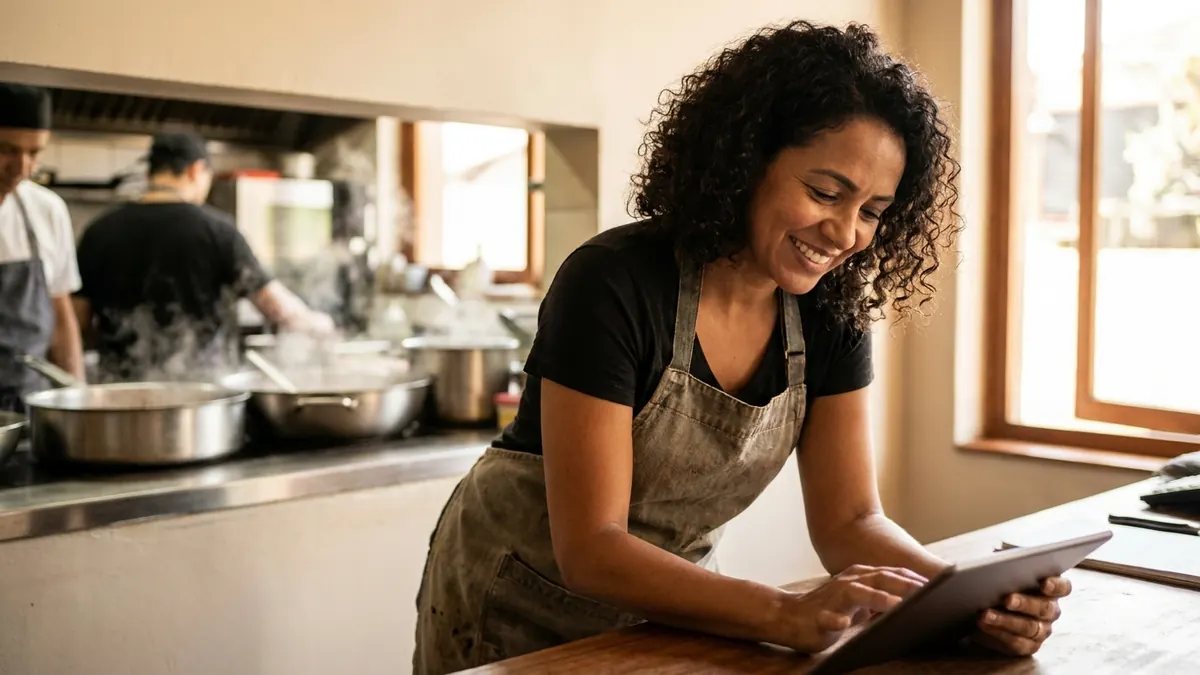
Sunday night, after close, at a 60-seat neighborhood spot that does about US$ 85,000 a month, a third of it through DoorDash and Uber Eats. The owner is looking at the Toast report and the bank balance, and they do not match the feeling of a busy month. Chicken thighs went up 18% since spring. Nobody updated the plate costs. There are 14 unanswered Google reviews, two of them about a missing side in a delivery order. Next week's schedule is half done, and the line cook just asked for Friday off.
That is where AI for restaurants is useful, and where it can hurt you if you trust it blindly. It is very good at turning a messy pile of invoices, reviews and schedules into something you can act on. It is bad at math it was not shown and at rules it does not know, like your city's scheduling law or your county health code. This guide goes through the restaurant week task by task, with tools, US$ prices, prompts and the places where I check every number.
The restaurant map: where AI fits
| Task | What AI does | What stays with you | Tool I would use |
|---|---|---|---|
| Plate cost and food cost % | Builds the recipe card from your invoice prices and shows the math | Weighing yields, checking every price | ChatGPT or Claude + a spreadsheet, or your inventory tool |
| Delivery menu (DoorDash, Uber Eats, Grubhub) | Item descriptions, modifiers, combo ideas, delivery pricing | Portions you can actually deliver, allergen info | ChatGPT or Claude |
| Google and Yelp reviews | Draft replies in your voice in one minute | Facts, refunds, anything about illness | ChatGPT or Claude, or the reply tool in your review platform |
| Phone and text orders | AI voice ordering or text ordering into the POS | Allergies, complaints, large catering orders | Toast, Square, or an AI phone ordering add-on |
| Staff schedule | Drafts the grid from your rules and forecast | Labor law, tip rules, fairness | 7shifts or Homebase |
| Prep and order lists | Turns last month's sales into a prep list and an order sheet | Par levels you trust, waste checks | ChatGPT or Claude with your POS export |
| Instagram and specials | Captions, Reels ideas, a monthly calendar | Real photos of real plates | ChatGPT + Canva |
If the month felt better than the bank account says, I would start with the first row. Reviews and orders save time. Plate cost shows you where the money is leaking.
Plate cost and food cost: the math AI helps with (and gets wrong)
Food cost percentage is ingredient cost divided by menu price. A lot of full-service restaurants aim for somewhere around 28 to 35%, and many owners watch prime cost (food plus labor) as the number that decides whether the month works. The right target depends on your concept. The real problem is that most small restaurants do not have a current recipe card for every dish, and that is where AI removes the friction: you dictate the recipe and paste invoice prices, it builds the card and shows each line.
Build a recipe cost card for [chicken parm with spaghetti], one portion.
Ingredients and invoice prices (use only these): [boneless chicken thigh US$ 3.89/lb, raw, 7 oz per portion before trimming, yield 85%; spaghetti US$ 1.45/lb dry, 4 oz dry; marinara US$ 0.62 per 4 oz ladle; mozzarella US$ 4.20/lb, 2 oz; breadcrumbs, egg, flour, fryer oil: US$ 0.55 per portion combined].
Show every calculation line by line. Then give food cost % at menu prices of [US$ 19, US$ 21 and US$ 23]. Do not use any price I did not give you. If a number is missing, write [MISSING].
Real output (shortened, math checked):
Chicken: 7 oz = 0.4375 lb × US$ 3.89 = US$ 1.70; adjusted for 85% yield = US$ 2.00. Spaghetti: 4 oz = 0.25 lb × US$ 1.45 = US$ 0.36. Marinara: US$ 0.62. Mozzarella: 2 oz = 0.125 lb × US$ 4.20 = US$ 0.53. Breading and oil: US$ 0.55. Plate cost: US$ 4.06. Food cost: 21.4% at US$ 19, 19.3% at US$ 21, 17.7% at US$ 23.
I checked it with a calculator and the numbers hold. Notice the yield line. The first time I ran a prompt like this without the yield, the AI priced the raw weight as if nothing was trimmed. That is the most common mistake, together with these:
- Prices from memory. Ask without giving prices and it uses "average US prices" from who knows when. Always paste your own invoice numbers.
- Forgetting the small stuff. Fryer oil, garnish, bread on the table, to-go packaging. They add 30 to 80 cents a plate.
- Rounded totals. It likes clean numbers. Ask for line-by-line math every time.
Then the delivery check. If the parm sells for US$ 21 in the dining room and the app takes a commission (DoorDash and Uber Eats plans range from roughly 15 to 30%, depending on the plan you picked) plus US$ 0.85 in packaging, how much do you keep? A prompt that compares the dollars left over in each channel tells you whether to raise the delivery price, shrink the portion or drop the item from the app.
Delivery menus: copy that sells without overpromising
An item description on DoorDash or Uber Eats is short sales copy, and AI writes it well. The care point is accuracy. If the menu says "8 oz hand-cut ribeye" and the plate shows up with 6 oz, that is a refund request and a bad review at best. I keep three rules in the prompt: describe only what goes in the box, keep it under 140 characters, and list allergens as a separate line the kitchen confirms.
About allergens: the FDA recognizes nine major food allergens (milk, eggs, fish, shellfish, tree nuts, peanuts, wheat, soybeans and sesame, which joined the list in 2023). Restaurants are not covered by the packaged food labeling rule, but your health department, the FDA Food Code and plain liability all push the same way: never let AI guess what is in a dish. It does not know you fry everything in the same oil as the shrimp.
If you have 20 or more locations under the same name, federal menu labeling rules require calories on menus and menu boards. Most independent restaurants are not covered, but if you are, do not let AI estimate calories. Use a nutrition analysis tool or a lab.
Review replies: 1 minute instead of 15
A bad review on Google or Yelp is read by people who have not ordered yet. Your reply is for them, not for the reviewer. The rules I keep in the prompt: thank them, name the specific problem, do not argue, never post personal details, and move the fix to a private channel.
Write a reply to this Google review for [restaurant name], a [family Italian place]. Facts I confirmed: [the order was missing the side of garlic knots; it was a DoorDash order on Friday night; we have no record of a refund]. Offer: [the missing item refunded, and a free order of garlic knots next visit]. Tone: warm, short, no excuses, no blaming the driver. Under 80 words. Invite them to email [EMAIL].
Review: [PASTE]
Real output:
Thanks for telling us, Rob, and sorry your garlic knots didn't make it into the bag Friday night. That's on us. We'd like to refund them and have a fresh order waiting for you on your next visit. Send us a quick note at hello@[restaurant].com with the name on the order and we'll take care of it today. Hope to see you soon.
One exception that never goes to AI: a review that mentions food poisoning or an allergic reaction. That is a call from the owner, a note in your incident log and, depending on your county, possibly a conversation with the health department. A cheerful AI reply there can make things much worse.
Phone, text and online orders: the bot takes the order, a person solves the problem
AI phone ordering is now an add-on in many POS systems and a standalone product from several vendors. It answers the phone during the Friday rush, takes the order, reads it back and pushes it into Toast or Square. Online ordering through your own site (Toast Online Ordering, Square Online) saves the commission you pay the apps. Both work. Where the bot should not decide alone:
- Allergies. Any mention of an allergy goes to a person who can talk to the kitchen.
- Complaints about a previous order. The bot can collect the details. The refund decision is yours.
- Large or catering orders. Anything above a set amount, say US$ 300, gets a call back.
- Changes after the order is fired. The bot should say "let me check with the kitchen," not "sure."
If you send texts, like "your order is ready" or a Tuesday special, remember the TCPA: marketing texts need prior written consent, and every message needs a working STOP. Order updates the customer asked for are a different case from promotions.
Staff scheduling without a broken spreadsheet
A schedule is a puzzle: days off, who opens, who closes, the Friday and Sunday peaks, the server who cannot work before 4 p.m. on school days. AI builds the grid fast once it gets the rules, and tools like 7shifts and Homebase already forecast labor from your sales history.
What AI does not know: several cities and states have predictive scheduling or Fair Workweek laws (New York City, San Francisco, Seattle, Chicago, Philadelphia and Oregon among them) that require advance notice of schedules and pay premiums for last-minute changes. It also does not know the details of tip credit and tip pooling under the FLSA and your state law. So I let AI draft the grid and check it against the rules that apply to me, or let the scheduling tool's compliance features do it.
Build a weekly schedule for [8] staff from Monday to Sunday. Hours: [11 a.m. to 10 p.m., Fri-Sat until 11 p.m.]. Minimum coverage: [2 servers at lunch, 4 at dinner Fri-Sun; 2 line cooks always, 3 Fri-Sat dinner]. Constraints: [PASTE AVAILABILITY]. Max [40] hours each. Show the grid and each person's total hours. Flag any shift that conflicts with a stated constraint. Do not apply labor law rules: I will check them.
Instagram for a restaurant
Use AI for captions, Reels ideas (the line during a rush, plating a dish, the daily special) and a monthly calendar of promotions. Do not use AI-generated food photos. The customer orders what they saw and gets something else, which is a fast way to collect refunds and one-star reviews, and the FTC treats misleading ads as misleading no matter who made the image. A real photo from a phone near a window beats any generated one. For the full content routine, see AI for social media.
More prompts to copy
Order sheet from the sales forecast
Here are last month's sales by item from my POS: [PASTE]. And the recipe card quantities per portion: [PASTE]. Estimate next week's ingredient needs assuming sales [5% higher], subtract current inventory [PASTE], and give me an order sheet by supplier. Show the math. Round up to case sizes: [CASE SIZES].
Menu engineering
Classify my menu items into the menu engineering matrix (stars, plowhorses, puzzles, dogs) using units sold and dollar contribution margin per item. Data: [item, units sold last month, menu price, plate cost]. Show the averages used as cutoffs and suggest one action per item.
Real output (excerpt from a 12-item menu):
Average units sold: 214. Average contribution margin: US$ 13.80. Star: chicken parm (412 sold, US$ 16.94 margin), keep it prominent, no discount. Plowhorse: cheeseburger (380 sold, US$ 9.10 margin), test a US$ 1.50 price increase or a smaller fries portion. Puzzle: seafood linguine (96 sold, US$ 18.20 margin), move it higher on the menu and have servers mention it. Dog: veggie wrap (41 sold, US$ 7.40 margin), remove from the app first and watch for complaints.
A mini agent flow: reviews and problem orders
The first agent I would build in a restaurant is not the one that takes orders (your POS and the apps already do that). It is the one that handles after-sale:
- Every new Google, Yelp and delivery app review lands in one sheet.
- A keyword filter catches illness, allergy, "hair," "raw" and "sick." Those alert you on your phone right away and skip the AI.
- Everything else gets a draft reply, waiting for you to approve.
- Every Monday, a summary: the top three complaints of the week, which dishes they involve and which channel they came from.
With n8n or Make, plus an AI API, this costs roughly US$ 20 to US$ 50 a month for a single location. Ready-made reputation tools do something similar at a higher price.
Tools and prices
| Tool | For what | Price (check the site) |
|---|---|---|
| ChatGPT or Claude | Recipe cards, reviews, menu copy, schedules | Free, or about US$ 20/month |
| Toast | POS, online ordering, reports, AI add-ons | Starter plans from US$ 0/month plus processing; paid plans vary |
| Square for Restaurants | POS and online ordering | Free plan; Plus from about US$ 49/month per location |
| 7shifts | Scheduling and labor forecasting | Free plan for one location; paid from about US$ 30/month |
| Homebase | Scheduling, time clock, team messaging | Free plan; paid from about US$ 25/month per location |
| n8n or Make | Review and order automations | From about US$ 10 to US$ 24/month, or n8n free on your own server |
If I were starting with US$ 20 a month: ChatGPT or Claude, the POS I already have and a shared spreadsheet for recipe cards. 7shifts or Homebase come next if scheduling eats more than two hours a week.
Common mistakes
- Trusting food cost without your invoices. AI prices from memory are fiction.
- Letting the bot answer allergy questions. One wrong "yes" is a hospital visit.
- Same delivery price as the dining room. After commission and packaging, half your menu may lose money on the app.
- AI food photos on the menu. Misleading to the customer and a magnet for refunds.
- A schedule nobody checked against local law. In Fair Workweek cities, a last-minute change has a price.
Where to start this week
Pull your three most recent invoices and build recipe cards for your five best sellers with the prompt above. If any of them runs above 40% food cost on delivery, you found your first price or portion fix. The following week, reply to every Google and Yelp review from the last 30 days with the review prompt; it takes an evening. And if most of your guest messages come by email, chat or text, AI for customer service shows how to split what the AI answers from what stays with you.

Want to skip this part?
Ready-made AI agents for restaurants, cafes and delivery kitchens: nothing to build, no prompts to write, they already work for you.
- Reads reviews and messages, leaves replies ready and alerts you right away when something is serious
- Takes orders by text and passes allergies and complaints to a person
- Every Monday, shows what drew the most complaints and where food cost got out of hand
Step by step
- Pull your three latest invoices and build recipe cards for your five best sellers
- Compare food cost in the dining room and on each delivery app after commission and packaging
- Reply to every Google and Yelp review from the last 30 days with AI drafts
- Set an alert so illness and allergy reviews reach you directly
- Draft next week's schedule with AI and check it against your local labor rules
Frequently asked questions
How can a restaurant use AI?
Start with recipe cost cards from your own invoices, delivery menu descriptions, replies to Google and Yelp reviews and a draft staff schedule. Then add AI phone or text ordering through your POS if calls pile up during the rush.
Does AI calculate food cost correctly?
Only when you give it your invoice prices, portion weights and yields, and ask for line-by-line math. Without your prices it guesses, and it often forgets yield, fryer oil and packaging.
Can an AI bot take phone orders for my restaurant?
Yes. Toast, Square and several vendors offer AI phone ordering that pushes orders into the POS. Allergies, complaints and large catering orders should still go to a person.
What is the best AI for a restaurant owner?
ChatGPT or Claude for the writing and math, plus the AI features already in your POS and scheduling tool. I would not buy a separate AI product until the free parts are in use.
Can I reply to Google reviews with AI?
Yes, as a draft you read before posting. Give it only confirmed facts, keep personal details out, and never let AI answer a review about food poisoning or an allergic reaction.